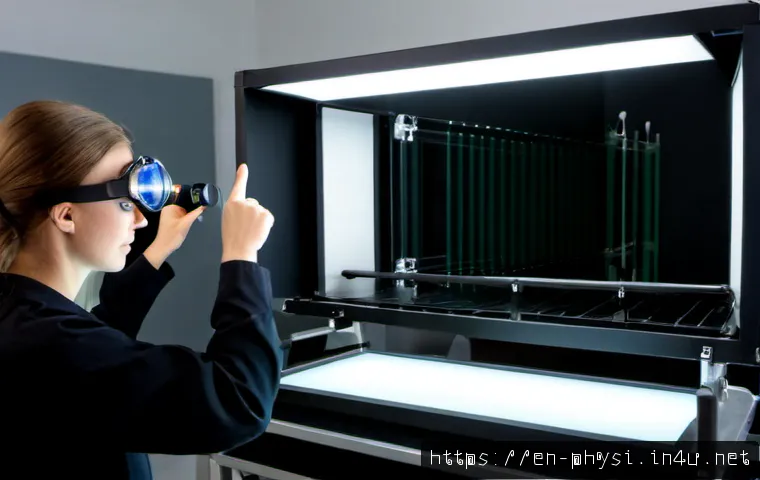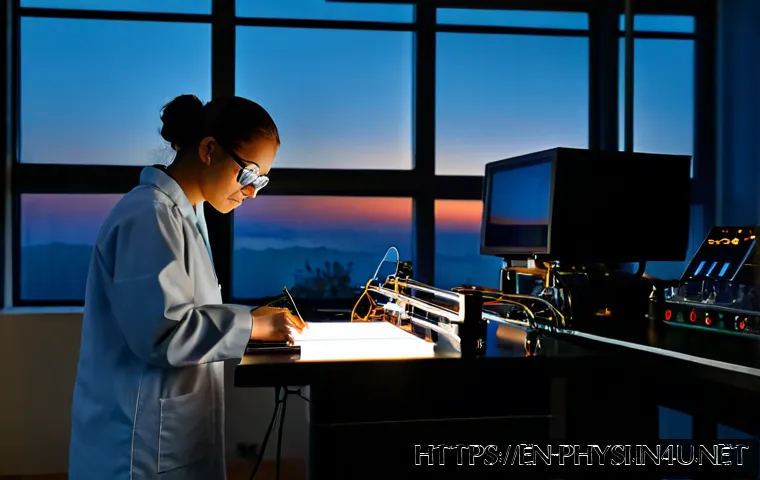
There is no single “typical day” in a physics PhD: theory students may spend long blocks reading and writing, computational students may organize code and simulation runs, and experimental students may work around lab access and equipment schedules.

The most realistic expectation is a changing mix of independent research, advisor communication, teaching duties, and practical problem-solving. A productive routine depends more on the research stage, group culture, and available infrastructure than on a fixed daily timetable.
Students may also need to evaluate research software, computing access, storage, lab equipment, and academic support services. Before paying for tools or choosing a program, it helps to separate what the department provides from what genuinely improves a personal workflow.
The goal is not to stay busy every hour, but to protect time for the work that moves the research forward.
At a Glance
- A physics PhD day can include research, coding, lab work, reading, writing, teaching, and meetings.
- Theory, computational, and experimental groups have very different time patterns and resource needs.
- Before buying software, hardware, or cloud services, check what your university and research group already provide.
| Research track | Common daily focus | Typical tools and access needs | Common bottleneck |
|---|---|---|---|
| Theoretical physics | Literature reading, derivations, discussion, manuscript writing | Reference management, note-taking system, writing tools, shared documents | Finding a clear research direction or resolving a difficult calculation |
| Computational physics | Coding, testing, data analysis, simulations, documentation | Programming environment, data storage, computing cluster or cloud computing access | Long computing queues, debugging, or an unreliable data pipeline |
| Experimental physics | Lab shifts, apparatus building, troubleshooting, data collection, analysis | Laboratory access, specialized equipment, safety procedures, data acquisition systems | Equipment availability, unexpected failures, or changing experimental schedules |
What a Physics Doctoral Student Actually Does in a Typical Day
Three quick takeaways before looking at a sample schedule
First, a PhD is usually centered on independent research supervised by one or more faculty advisors. Second, teaching, grading, mentoring, and departmental service may sit beside research rather than disappear during busy periods. Third, progress is rarely a straight line: a day spent fixing code, checking an apparatus, or reading background papers may be necessary research work, even when it produces no immediate result.
Why research stage and advisor expectations matter more than a fixed timetable
A new student may have coursework, lab onboarding, and broad reading to manage. A later-stage student may be focused on manuscripts, dissertation writing, conference preparation, or career planning. Advisor communication also matters. Some groups use regular meetings and shared milestones, while others expect students to work more independently between updates. Neither arrangement automatically creates a better experience; the important question is whether expectations, feedback, and available support are clear.
A realistic example of a research-focused weekday
A research-focused weekday might begin with checking a simulation result, reviewing lab data, or reading a paper related to an open question. The middle of the day may include an advisor meeting, a group discussion, office hours, or a teaching task. A protected block later in the day can be used for coding, derivations, analysis, or manuscript drafting. This is an example, not a required schedule. Experimental work may be dictated by lab access, while computing work may depend on a shared cluster queue.
How Daily Work Changes by Research Track
Theoretical physics: reading, derivations, collaboration, and writing
Theoretical researchers often move between academic literature, mathematical derivations, informal discussions, and writing. Deep concentration can be especially valuable because interrupted reasoning may make difficult problems harder to revisit. Useful tools can include a reliable reference manager, searchable notes, document collaboration software, and an organized system for equations and drafts. The main risk is assuming that reading or thinking is “not real work.” In many theory projects, it is the foundation for the next useful calculation or paper.
Computational physics: coding, simulations, data pipelines, and computing queues
Computational students may spend a large part of the day writing code, testing methods, processing data, or documenting a workflow so results can be checked later. Their schedule can be shaped by access to high-performance computing, shared servers, storage limits, or cloud computing resources. A paid software subscription or additional storage may be useful in some cases, but only after checking the group’s approved tools, university licenses, data policies, and computing allocation. A fast personal device does not replace a well-supported research computing environment.
Experimental physics: lab shifts, equipment troubleshooting, data collection, and safety procedures
Experimental work can be less predictable. A planned data-collection session may become an equipment troubleshooting session, and a lab schedule may change when instruments are shared. Students may build apparatus, run measurements, analyze data, maintain records, and follow safety procedures. Strong organization matters because experimental notes, calibration details, and equipment status can affect later interpretation. Before joining a lab-heavy program, applicants should ask how access is managed and what technical support is available.
Comparison table: time patterns, tools, bottlenecks, and resource needs
The comparison above is a starting point, not a label that defines every student. Many physics projects combine theory, code, and experiments. The practical question is: what resource limits the next stage of your work? It may be advisor feedback, lab access, computing capacity, data storage, technical training, or uninterrupted writing time.
Research Tools, Computing Access, and Cost Decisions
University-provided resources versus personally paid productivity tools
Universities and departments may provide software licenses, library access, computing infrastructure, laboratory equipment, training, and health insurance as part of a funding arrangement. Terms vary by university, department, and country, so they should be confirmed directly. Personal purchases are most sensible when they solve a specific workflow problem that institutional resources do not solve. Examples might include a note-taking tool that improves organization or hardware that is compatible with required research tasks, but the need should be evaluated rather than assumed.
When cloud computing, storage, or specialist software can be justified
Cloud computing, expanded data storage, and specialist software can be worth considering when approved university resources are unavailable, insufficient for a temporary need, or unsuitable for a collaboration. Check data handling requirements before moving research files outside a university system. Also ask whether a research group already has shared storage, a cluster allocation, licensed analysis software, or a preferred workflow. The cheapest option is not always the best one, but paying twice for overlapping tools is avoidable.
Questions to ask before paying for hardware, software subscriptions, or external training
- Does my department already offer a license, device loan, cluster account, or training session?
- Will this tool work with my group’s file formats, codebase, data policy, and collaboration process?
- Is the cost connected to a recurring research need or only a short-term inconvenience?
- Can my advisor, lab manager, technical staff member, or senior student suggest an approved alternative?
Avoiding unnecessary spending when departmental resources already exist
Do not assume that a personal subscription is required simply because it is popular. Ask about institutional software access, research computing support, lab equipment booking, and academic career services first. This can reduce unnecessary spending and prevent compatibility problems later. It also gives a new student a clearer picture of the program’s actual infrastructure.
Managing Teaching, Meetings, and Deep Research Time
Teaching assistant duties, office hours, grading, and course commitments
Teaching responsibilities can include leading sessions, grading, office hours, mentoring, or other departmental service. These tasks are part of doctoral training for many students, but their scope varies. Put fixed commitments in one calendar first, then reserve research blocks around them. Treat grading and preparation as real work with a defined place in the week instead of letting them spill into every available hour.
Advisor meetings and how to prepare useful progress updates
A useful advisor update does not need to contain a finished result. It can briefly state what was tried, what changed, what remains unclear, and what decision or feedback is needed next. Bringing a short list of questions can make meetings more productive. This is especially helpful when publication timelines or experimental schedules are uncertain.
Protecting focused blocks for analysis, writing, or experiments
Reserve focused time for the work that requires continuity: a difficult derivation, code debugging, data analysis, manuscript drafting, or a planned lab task. Short administrative tasks can be grouped around meetings when possible. For experimental students, protected time may mean reserving analysis time after data collection rather than assuming the lab session itself is the entire project.

Common scheduling mistakes that create preventable delays
Common mistakes include waiting too long to ask for technical help, treating every meeting as urgent, failing to document code or experimental changes, and scheduling only reactive work. Another problem is planning around an ideal week that ignores teaching cycles, equipment downtime, or computing queues. A flexible plan with visible priorities is more realistic than a rigid timetable.
Different Stages of the PhD, Different Daily Priorities
Early stage: coursework, lab onboarding, and selecting a research direction
Early-stage students may divide attention among courses, broad literature reading, technical training, lab safety, and possible project directions. This is a period for learning what resources exist and how the group works. It is also a good time to clarify funding terms, tuition coverage, insurance arrangements, and teaching expectations with official program sources.
Middle stage: building methods, generating results, and collaborating
In the middle stage, daily work often becomes more method-driven. Students may build a model, maintain a data pipeline, improve an apparatus, or collaborate with others on analysis and writing. Clear file organization, reproducible notes, and regular advisor communication become increasingly valuable as projects become more complex.
Later stage: papers, dissertation writing, conferences, and career planning
Later-stage work may involve preparing manuscripts, organizing dissertation material, responding to research changes, and exploring career options. Publication timing can remain uncertain, so students should avoid building every plan around a single deadline. Career services, mentors, alumni contacts, and technical staff can be useful sources of perspective when considering academic and non-academic paths.
When to seek extra support from mentors, technical staff, or career services
Seek support when a problem exceeds your current access or expertise: unclear expectations, recurring equipment issues, computing barriers, stalled collaboration, or uncertainty about career preparation. Asking early can prevent a small workflow obstacle from becoming a long delay.
Choosing a Sustainable Research Setup: Comparison Summary
Match your workflow to the right combination of lab access, computing, and planning tools
A sustainable setup matches the project rather than copying another student’s desk or software stack. Theory-focused work may benefit most from literature access and uninterrupted writing time. Computational work may depend on reliable computing resources, storage, and version-controlled code. Experimental work may depend on predictable lab access, safety training, equipment support, and careful record keeping.
Evaluate advisor communication, funding terms, and infrastructure before committing
For applicants, infrastructure is more than a lab tour or a list of software. Ask how students access computing resources, what laboratory equipment is available, how technical problems are handled, and how teaching responsibilities are assigned. Confirm funding, tuition coverage, health insurance, and service expectations through official university and department information rather than assumptions.
A practical checklist for applicants and current students
- Can I identify the main research bottleneck: feedback, lab access, computing, storage, or writing time?
- Which software, equipment, and training resources are already provided?
- Are advisor communication expectations clear enough for my working style?
- Can teaching and service duties be planned around meaningful research blocks?
- Do I know who to contact for computing support, lab troubleshooting, and career guidance?
Selection Criteria and Comparison Summary
Before choosing a program, a tool, or an added service, compare research fit, advisor communication, computing access, lab availability, funding terms, and teaching expectations. A paid productivity tool is most useful when it addresses a defined gap after university options have been checked. Cloud computing or specialist software should also fit data rules and group workflows. For official details on software licenses, computing accounts, equipment access, or funding conditions, check the relevant university or department page before making a purchase or commitment.
In Closing
A realistic physics PhD routine is built around changing research needs, not a perfect daily schedule. Productive days may involve visible outputs such as code, data, or writing, but they can also involve troubleshooting, reading, and careful planning. The right setup is one that gives you access to the people, tools, and protected time your research actually needs. Clear expectations are usually more valuable than an impressive-looking schedule.
Useful Things to Know
1. Research progress can be uneven, particularly when experiments or publications depend on uncertain timelines.
2. Teaching and grading may be regular parts of doctoral work, not side tasks to ignore.
3. Department-provided resources may include more support than a student initially realizes.
4. Technical staff, senior students, and career services can be important parts of a research support network.
Important Notes
Exact work hours, stipend amounts, tuition costs, software prices, equipment budgets, and available support cannot be assumed from a general description of physics PhD training. These details vary by institution, department, country, advisor, and research group. Verify current funding, insurance, teaching, computing, and laboratory access terms through official sources.
Frequently Asked Questions
Q1. How many hours a day does a physics PhD student usually work?
A1. There is no reliable single number. Daily workload can change with coursework, teaching duties, lab schedules, computing queues, advisor meetings, and research deadlines. A better measure is whether the student can maintain consistent progress with a sustainable routine.
Q2. Is an experimental physics PhD more expensive than a theoretical or computational PhD?
A2. It may require different resources, such as specialized laboratory equipment and technical support, but individual student costs depend on the program’s funding, equipment access, tuition coverage, and institutional policies. Applicants should confirm what the university and research group provide.
Q3. What tools should a new physics PhD student pay for, and what should their university provide?
A3. Start by checking university-provided software licenses, library access, computing resources, storage, lab equipment, and training. Consider personal tools only when they solve a clear workflow need and fit your group’s technical requirements, data practices, and collaboration process.